
Home » Download
SONA101 App Download: Android APK, iOS Access, and Setup Guide
Fast, safe SONA101 app download with quick guidance for Android and iOS
If you want a direct SONA101 app download with clear, mobile-first steps, you are in the right place. The app opens faster than a browser, uses less data, and keeps you close to live cricket markets, score widgets, and instant notifications. Start from the official download path: SONA101 App Download.
The Android build installs via APK from the official site, while iPhone users can add the web app to the Home Screen for an app-like experience. You will find quick login, trusted local payment choices, and responsive support built for everyday phone use and shorter sessions.

Why the SONA101 mobile app suits local players who prefer speed and control
The app cuts load times, trims data use, and keeps your betting flow simple on small screens. It is built for fast access, steady performance on mobile data, and easy account actions without extra taps.
Faster start with one-tap login and optional biometrics
Save your device as trusted, then enable fingerprint or Face ID to log in quickly. Short sessions stay quick, so you can place bets or check balance without retyping details.
Cricket-first experience with live odds and quick bet slip
Open the app to see today’s cricket schedule, price movement, and live score snippets. Add selections in seconds and send your bet slip without losing your spot.
JILI slots and arcade titles tuned for lighter data
Enjoy JILI games built for mobile. Graphics load efficiently, while your recent picks stay pinned for fast relaunches during short breaks.
Stable performance on patchy 3G or 4G connections
The app caches key pages, reduces heavy images, and helps pages recover if your signal dips, so markets and results remain accessible.
Verification, name-matched payments, and smoother withdrawals
Complete in-app verification once, keep your account name aligned with your chosen payment name, and cut back-and-forth when you withdraw.
Real in-app chat support that responds without long waits
Get help from support inside the app. Typical issues—password reset, bet status, or document checks—are handled with clear next steps.
Register in minutes without switching between multiple pages
Create your account directly from the app using a short form and SMS code. If you prefer to start in your browser, go to SONA101 Register and then log in on mobile.
Step-by-step instructions to install SONA101 app on Android and access from iOS
Android: install the SONA101 APK safely from the official site
- Open your browser and go to the official download page: sona101.link/download
- Tap the button to get the latest SONA101.link file and wait for the download to finish.
- When prompted, allow your browser to install apps from this source. You can also enable this via Settings > Apps > Special access > Install unknown apps (path may vary by device).
- Open the downloaded SONA101.link from the notification or your Downloads folder.
- Tap Install and wait for the app to finish installing on your phone.
- Open the app, sign in, or create your account, and set biometric login if you wish.
- Allow notifications to get match updates, price moves, and account alerts.
iPhone: add the web app to your Home Screen for app-like access
- Open Safari and visit sona101.link
- Tap the Share icon, then choose Add to Home Screen.
- Confirm the name and tap Add to place the icon on your Home Screen.
- Open the new icon to use the SONA101 mobile app experience with faster access.
- Allow notifications when prompted to receive important updates and offers.
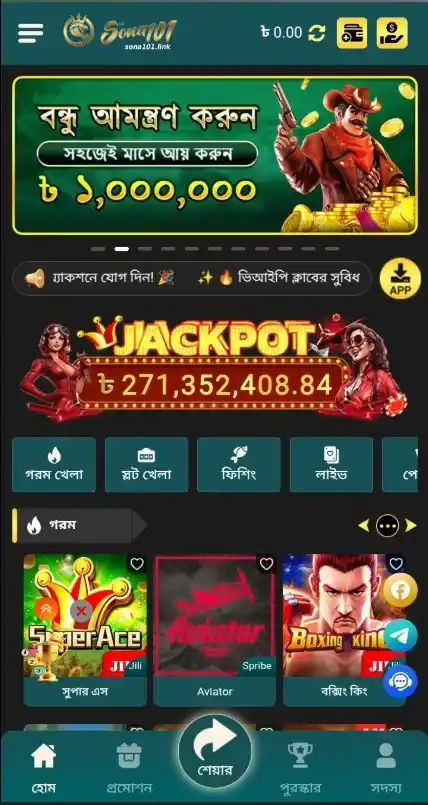
Direct Android APK download and iOS add-to-home options with clear calls to action
Download Android APK — the quickest way to download SONA101 app on most phones.
Open on iPhone and Add to Home Screen — use Safari, then tap Share to create a Home Screen icon.
Prefer to keep using your browser? Open SONA101 Online and sign in instantly from any device.
Time-saving mobile features that make betting, payments, and account management simpler
- Quick login with device trust and optional biometric unlock.
- Cleaner navigation with larger tap targets and a persistent bet slip.
- Cricket-first layout with live scores, price changes, and fast markets.
- JILI slots and fish games tuned for smooth play on everyday mobile data.
- Smarter caching for faster loads on weaker connections.
- One-tap access to deposits and withdrawals using trusted local payment choices.
- Push alerts for price moves, settlements, and limited-time promos.
- In-app chat support with clear responses and next-step guidance.
Exclusive app notifications, welcome offers, and reload deals you do not want to miss
Enable notifications to see app-timed welcome boosts, reload extras, and limited cricket odds enhancements before they expire. The app highlights what is new the moment you open it, so you do not miss short-window opportunities.
From seasonal campaigns to match-day perks, expect focused updates that respect your time. You may also find days featuring SONA101 cashback or price boosts, announced directly on your phone for faster action.
Safe installation habits, permission checks, and official sources for worry-free app updates
Always install from the official site and avoid third-party mirrors. Check the version shown on the download page and update only when the app prompts or when you see a new build on the official page.
Review permissions during install. The app may request storage access to save updates, notifications to alert you of results and offers, and biometrics for secure login. Deny anything you do not need—you can adjust later in Settings.
Keep your phone OS updated and protect your account with a strong PIN or biometrics. Verify your profile early so your account name and payment name match, which helps avoid delays when requesting withdrawals.
Frequently asked questions about SONA101 app download, installation, and mobile troubleshooting
Where can I get the official SONA101 app download?
Go to sona101.link/download to get the latest Android APK and guidance for iOS users. Avoid third-party sites to keep your device secure.
How do I install the SONA101 apk on my Android phone?
Download the APK from the official page, allow installs from your browser’s source, open the file, and tap Install. Then sign in and enable biometrics if you like.
Is there an iOS version I can install from the App Store?
Use the Add to Home Screen option in Safari for an app-like shortcut. If a native iOS app is introduced later, the official site will provide that link.
Why does the app ask for notifications and storage permissions?
Notifications send match updates, settlements, and promos. Storage helps with saving updates. You can manage or revoke each permission in your phone settings.
How do I update or reinstall if something stops working?
Open the app to check for updates, or visit the download page for the newest build. If issues persist, reinstall the APK and contact support through in-app chat.
Ready to install SONA101 app and start quicker play on your phone today
Download the Android APK or add the iOS web app to your Home Screen for faster access, lighter data use, and cricket-first markets. If you prefer starting in the browser, you can always visit the official site and sign in.
Set up your account, verify once, and you are set for quick login, JILI games, and timely notifications. If you still need an account, create it now through the app or start here: sona101.link/register